Create the Hop
Add the class name, time, place, spots, and the details people need before they book.
Start with one real class
You do not need a migration plan to understand Karl. Take one real class, turn it into a Hop, and share one clear way for people to join.
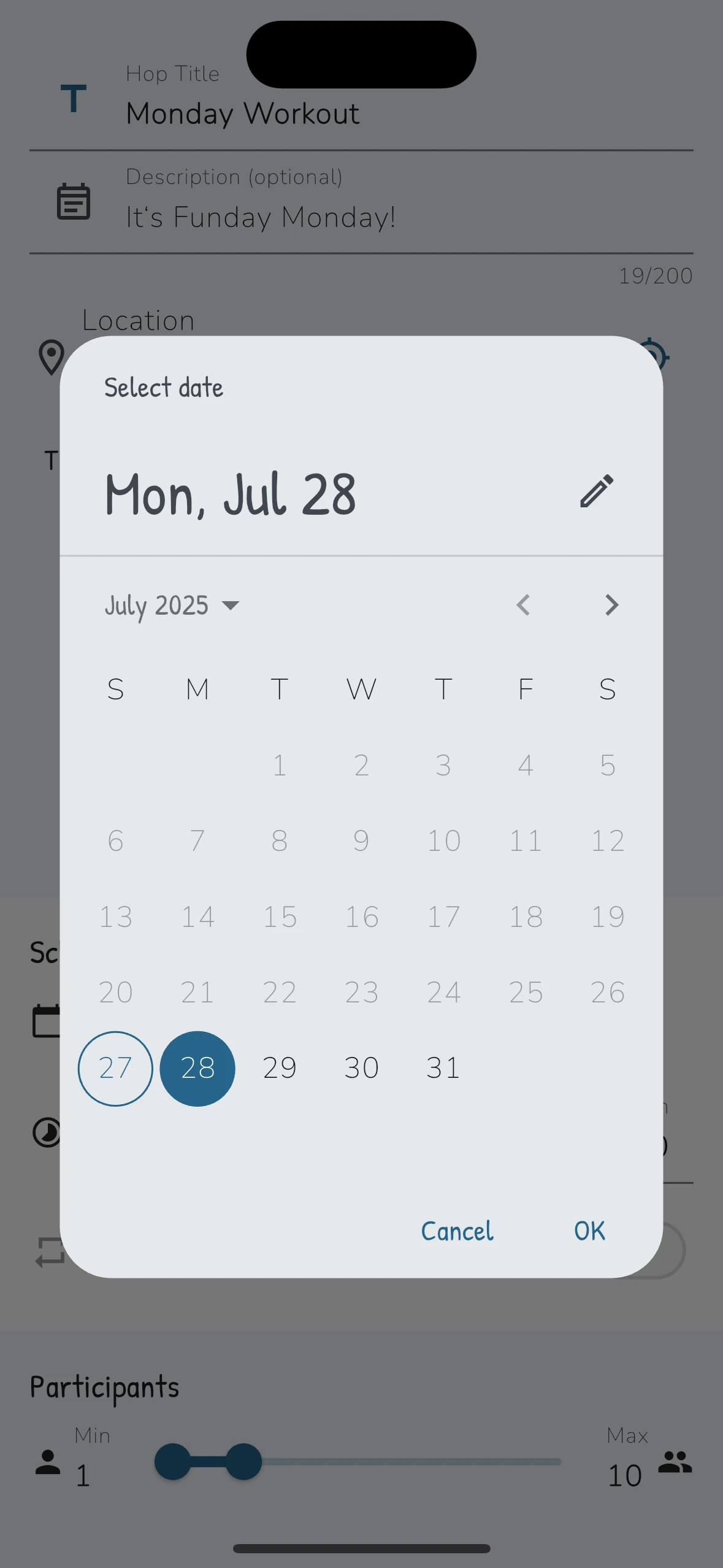
The first Hop flow
Add the class name, time, place, spots, and the details people need before they book.
Show your Kaptn QR code or share the Hop link in WhatsApp, Instagram, email, or on your site.
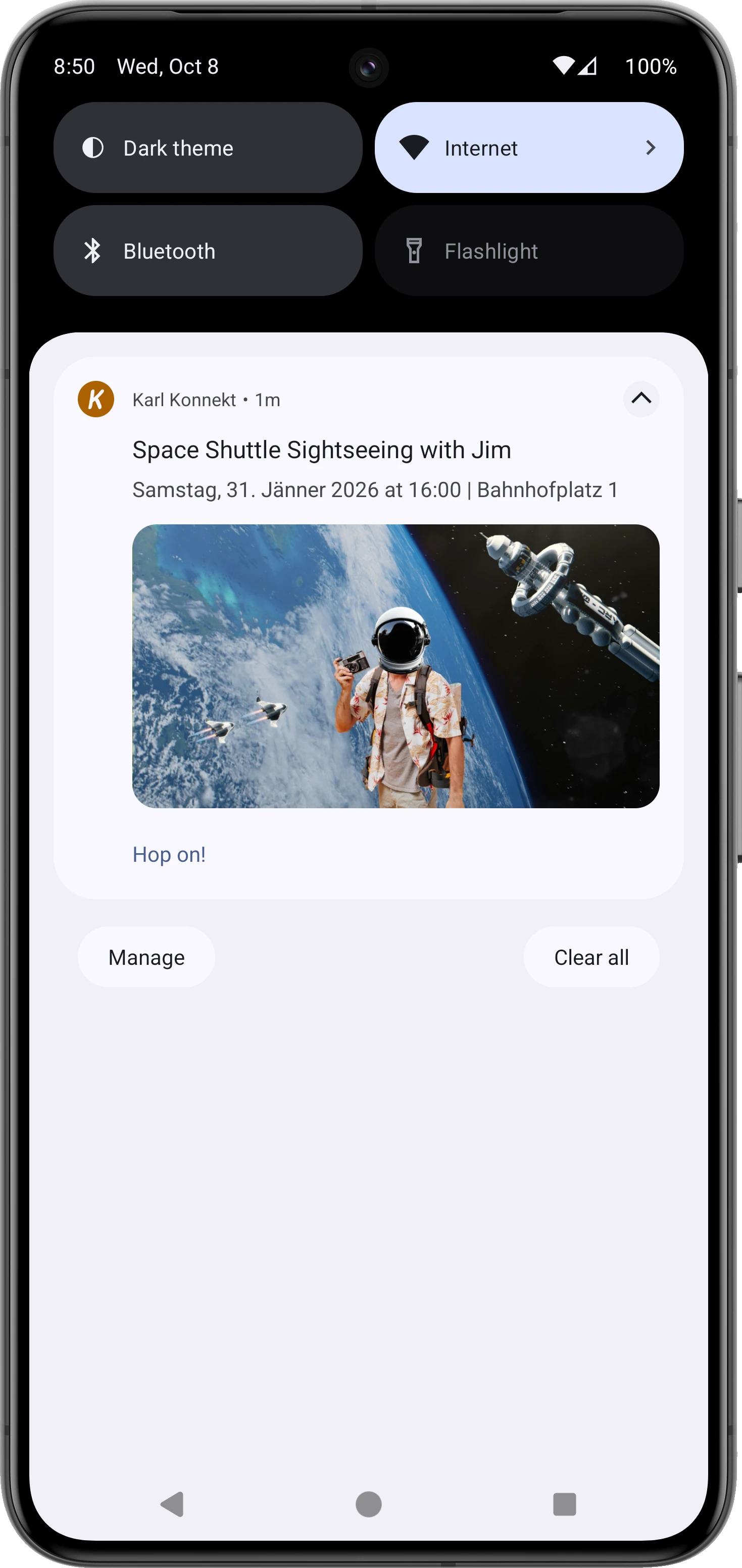
Regulars can konnekt with you as their Kaptn so Karl knows who should hear about future Hops.
For konnekted Joeys, future Hop invites can be sent automatically when you publish the right Hop.
Joeys follow the invite or link, choose Hop On, and Karl keeps spots, waitlist, changes, and follow-up easier to track.
What each side sees
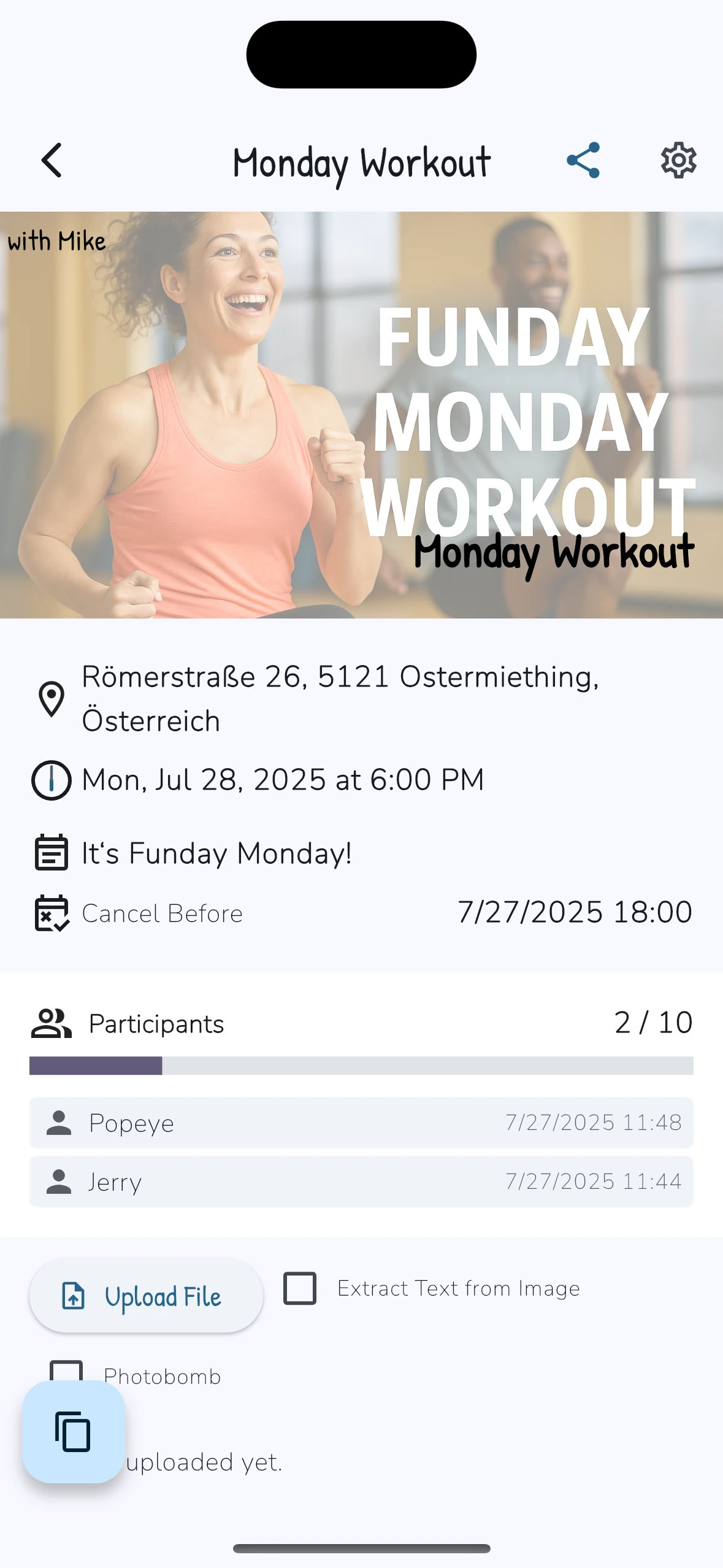
You publish one class and keep spots, waitlist, changes, and follow-up in the Hop.
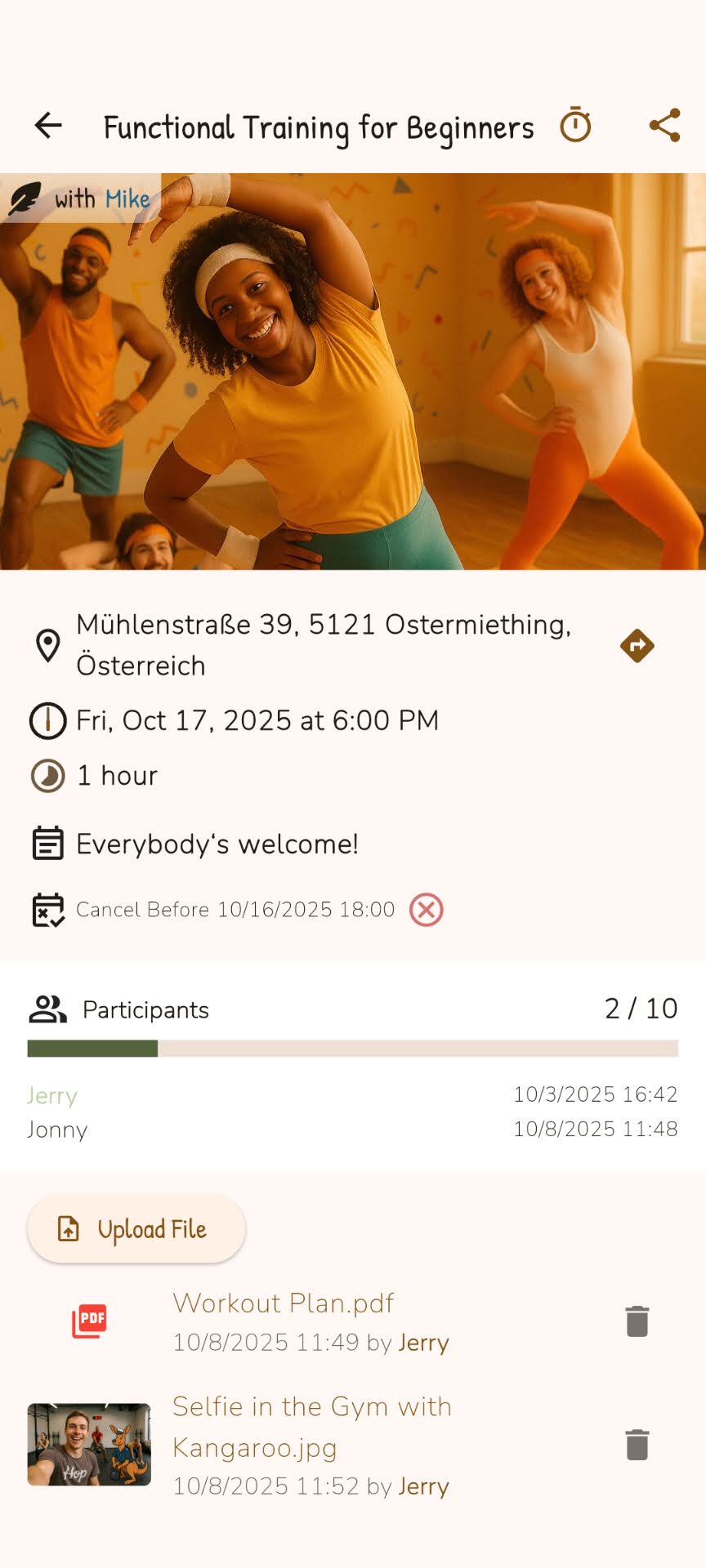
They see the Hop, choose Hop On, and know the current status.
Keep the first test small
A booking link or Kaptn QR code is enough for the first Hop. Add website widgets, calendar sync, payments, or Course setup later if they match your setup.
Short FAQ
No. Start with one real class. If that Hop makes booking status clearer, you can decide what to add next.
They first konnekt with you as their Kaptn. After that, future Hop invites can reach konnekted Joeys automatically when you publish the right Hop.
No. A Hop link or Kaptn QR code is enough for the first test. Widgets, calendar sync, payments, and Course setup belong later if they match your setup.
Create one Hop, share one clear way in, and see whether the booking status gets easier to follow.