Auto-invite clients to join with one tap.
Everything else? Taken care of.
Your Kinetic Assistant for Routines and Leisure - Keeps Activities Running Locally
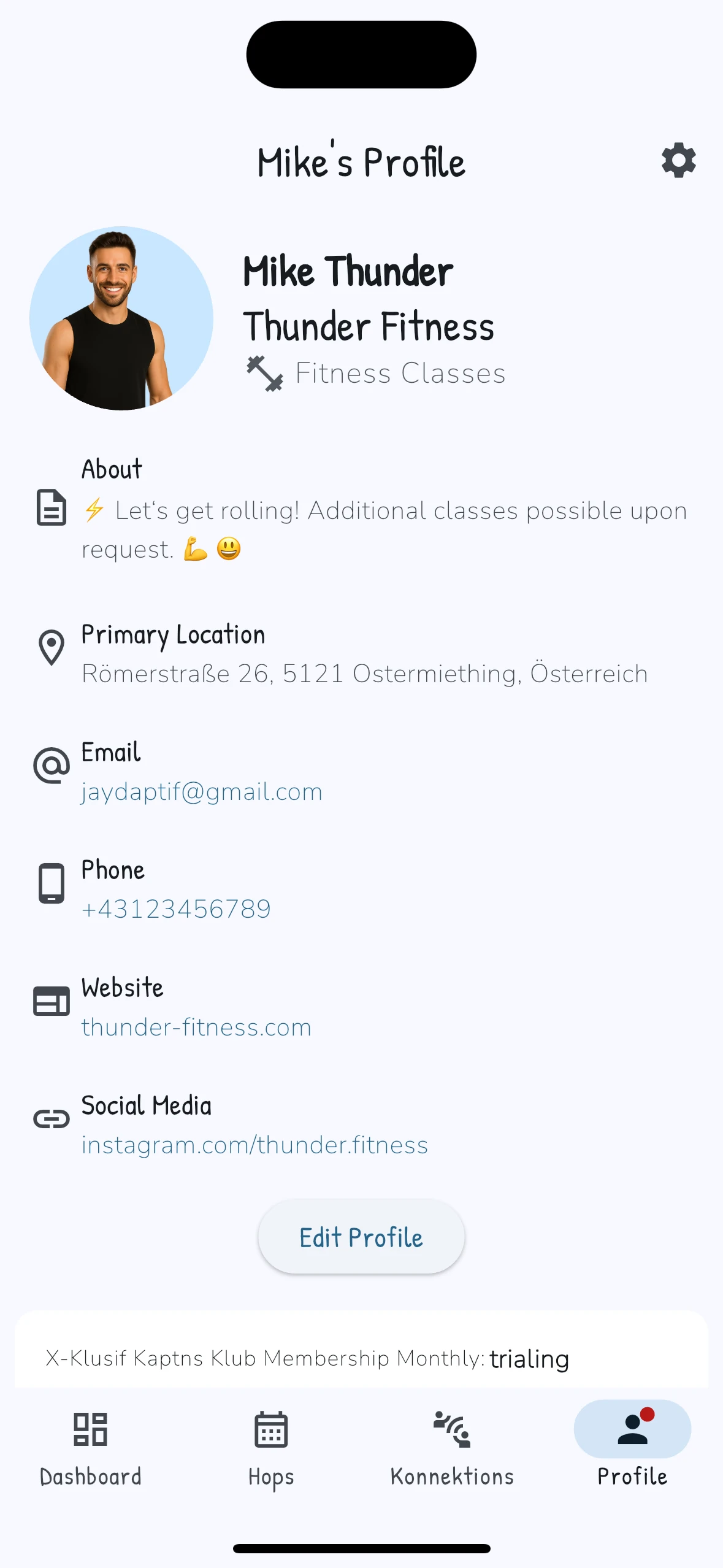
Meet Karl — your pouch-sized assistant for running group classes without the WhatsApp chaos. Create a Hop, set capacity, and invite your crew in one tap.
Karl Konnekt is designed to make your business thrive by automating repetitive tasks, improving client engagement, and helping you connect with more people in your area. Our easy-to-use platform ensures everything runs smoothly, from booking to payment to follow-up.
Kaptn Karl is the host app (where the magic happens for group sessions). Karl Konnekt is the client app your Joeys use to hop on, pay, and get SkippySignals when something changes. Together, they keep your schedule tight, your roster full, and your brain out of spreadsheet jail.
Make booking simple for you and your clients, freeing up your time for what matters most.
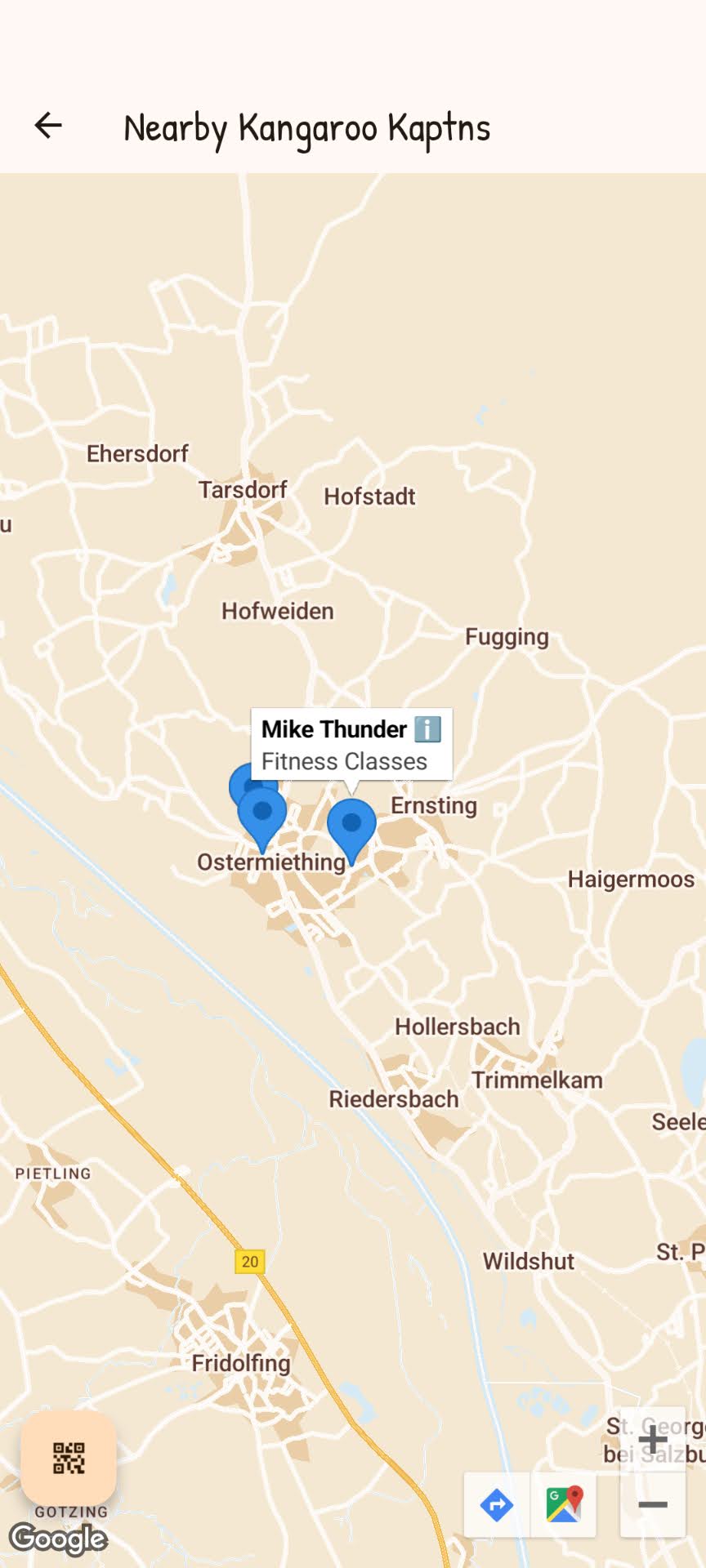
Be easily found with local search and map features. Karl makes sure people in your area know where to find you, helping you stand out and connect with more clients.
Subscribe to your upcoming Hops in Google Calendar, Apple Calendar, and more. Karlendar is an iCal/ICS feed built for classes—so your schedule stays in sync even when plans change.
When a Joey cancels, Karl auto-fills the spot from your waitlist. In case the cancellation period has passed, they can Request Cancellation. You accept or deny in one tap — Karl handles the rest: frees the seat, refunds payment when applicable, and then invites waitlisters to hop on. First come, first served. You keep your class full without the phone-tag.
Hop in now and snag VIP perks: Top spots in search, first dibs on new features, and loyalty boosts that put you way ahead of the pack. Karl’s got your back — let’s hop ahead together!
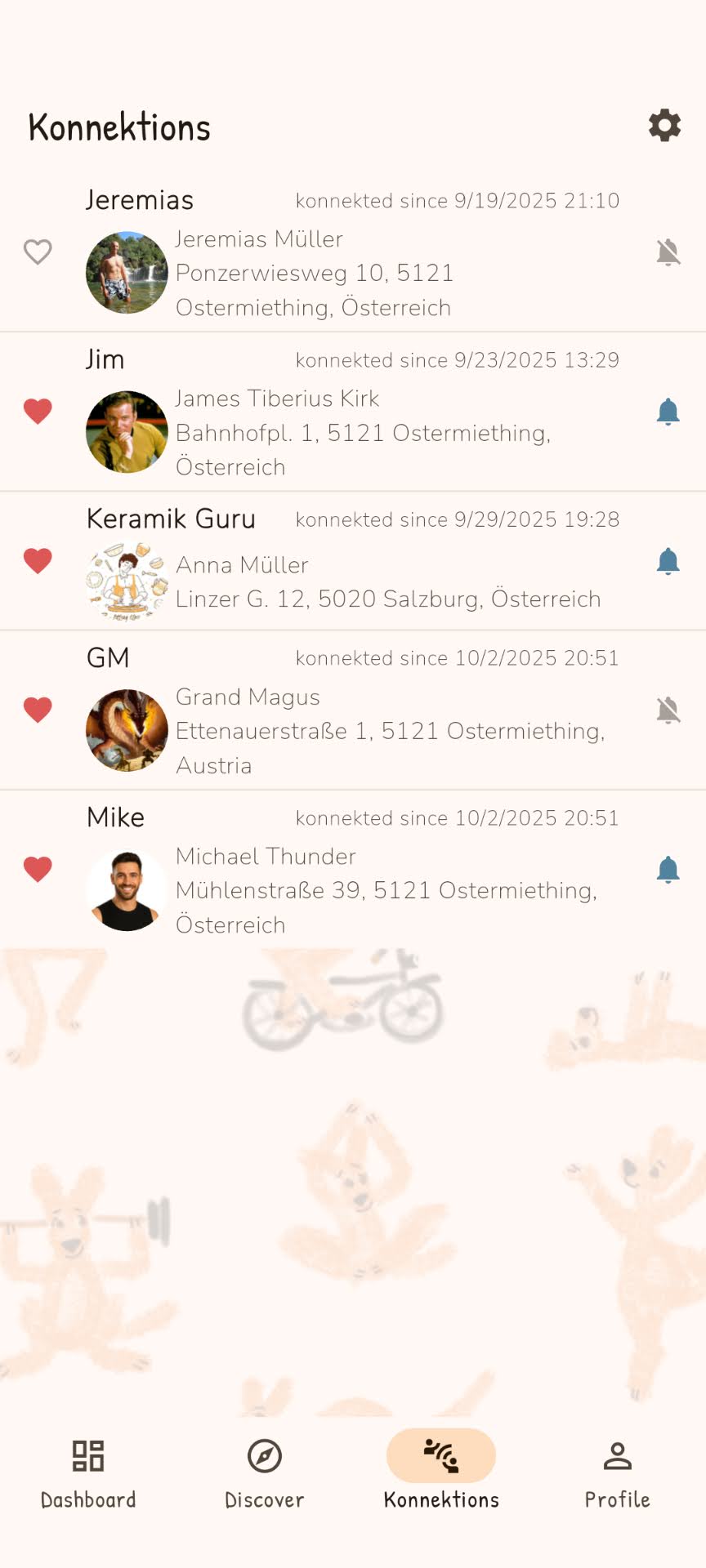
Sounds great, count me in!Make it easy for clients to join, stay, and keep coming back for more. Konnektions + SkippySignals keep your regulars in the loop—and when you’re ready to grow, Karl helps new locals find your next class too. Karl Konnekt helps you build real loyalty and grow your community one connection at a time.
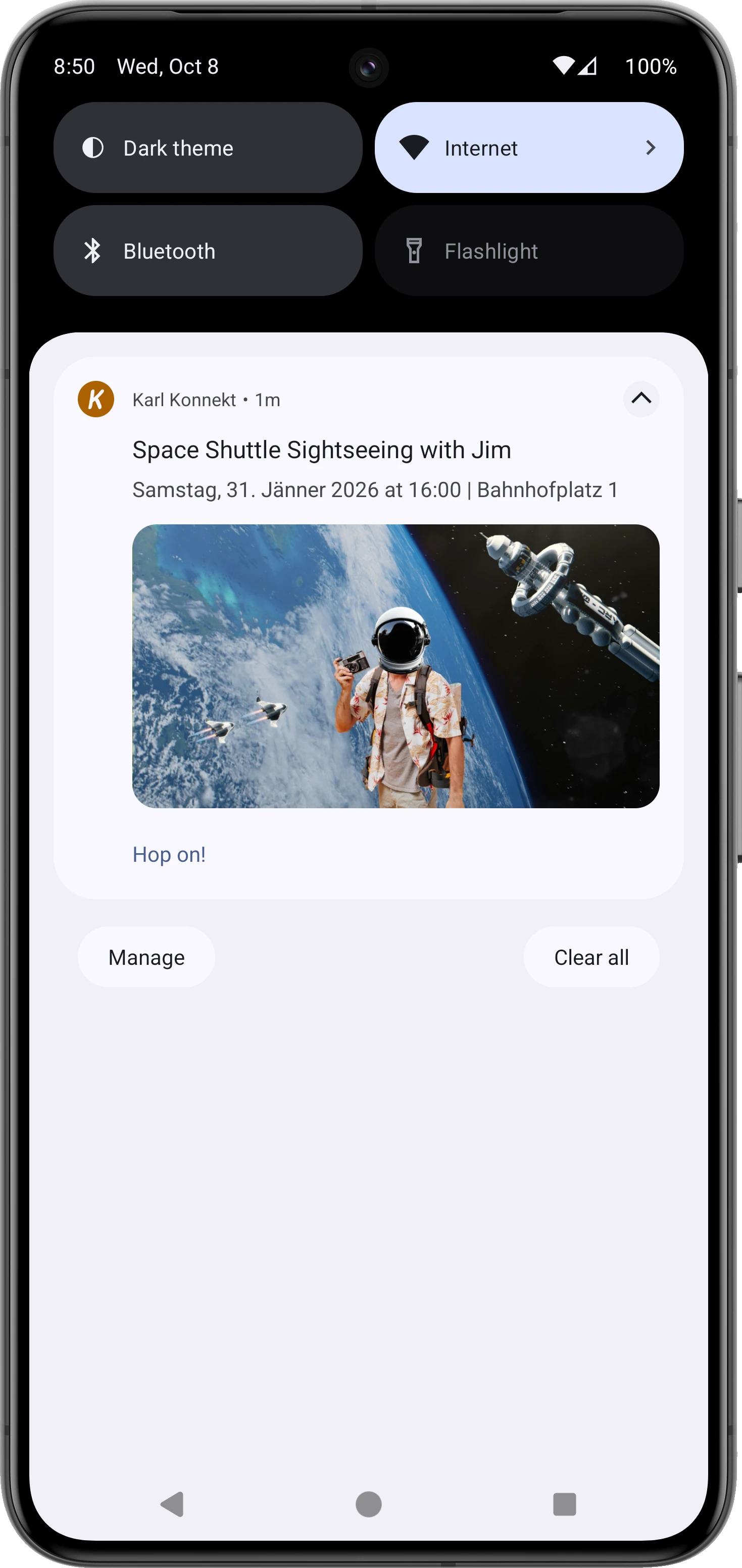
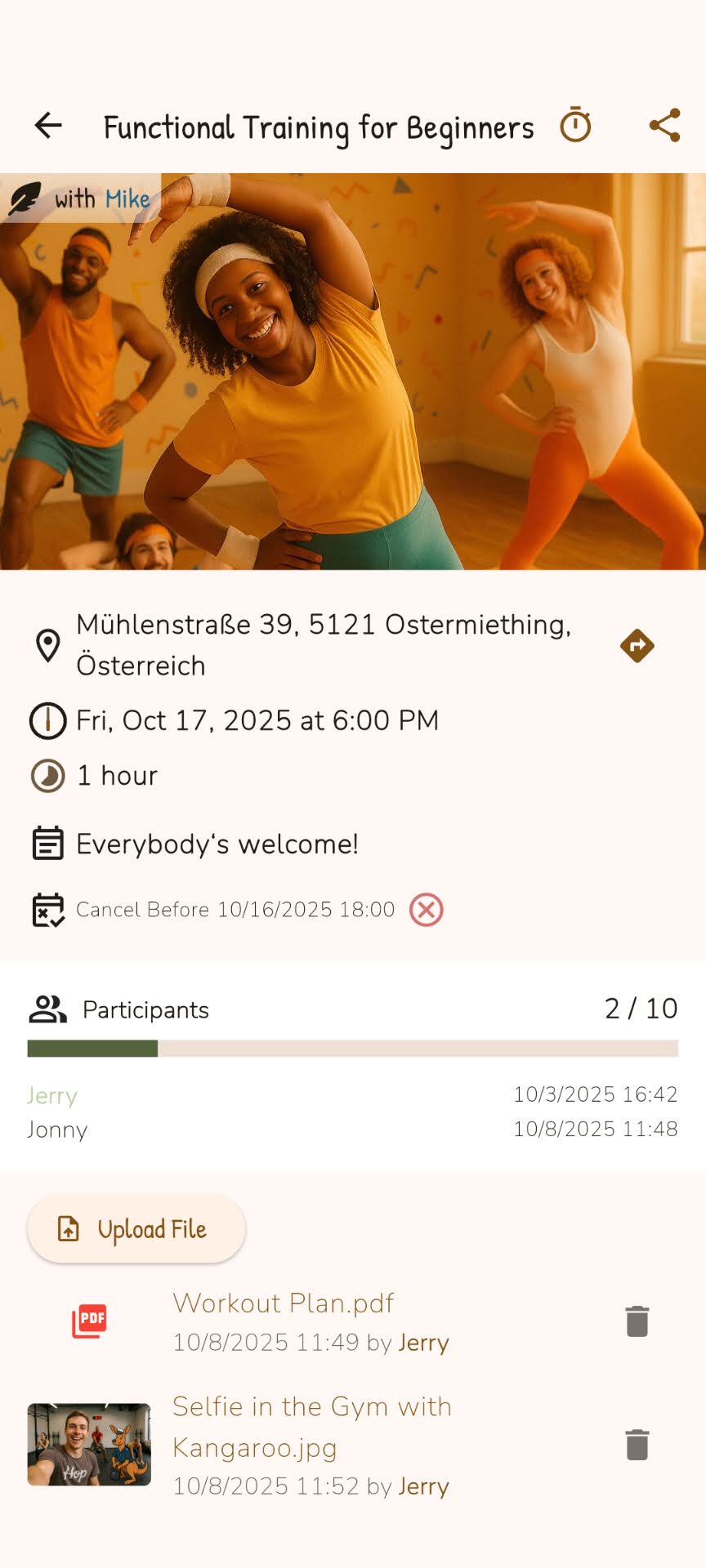
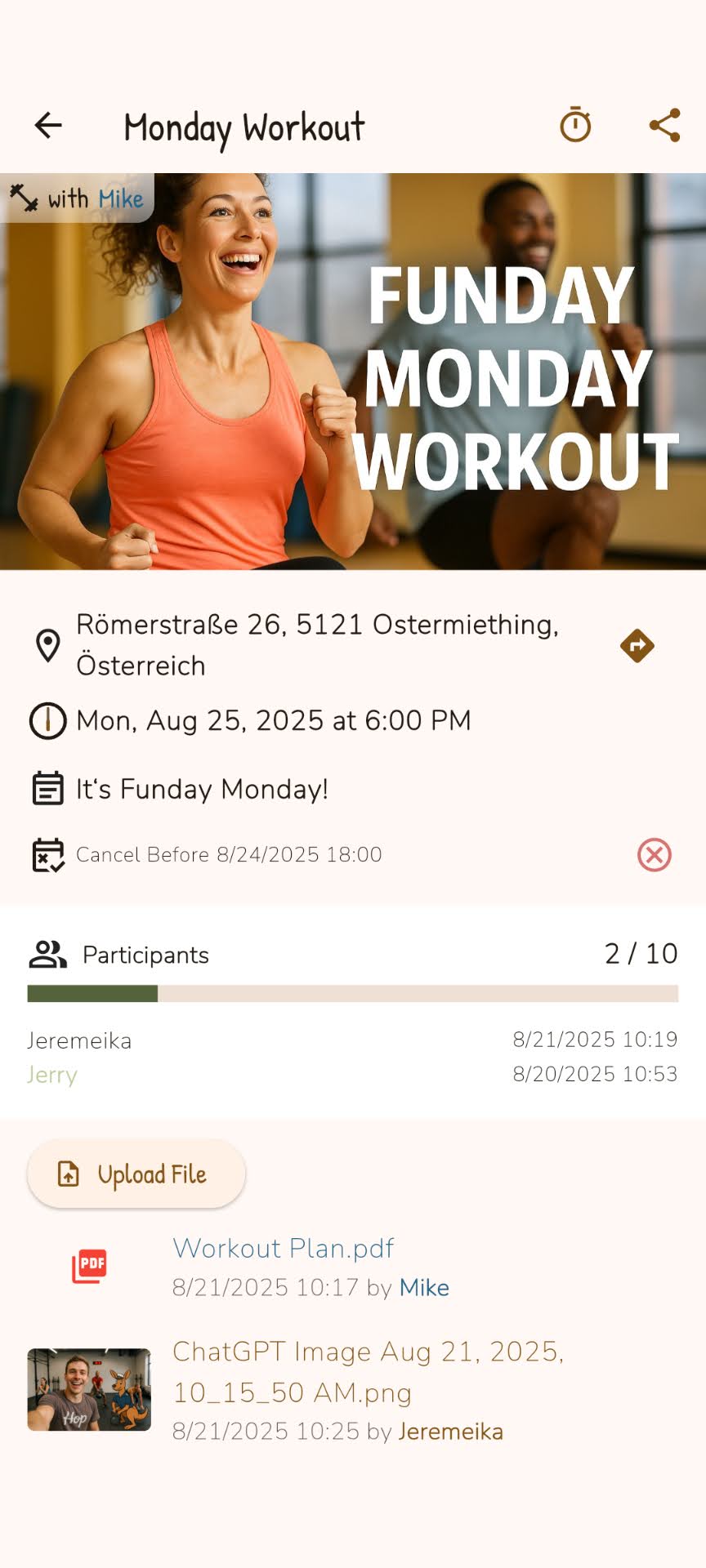
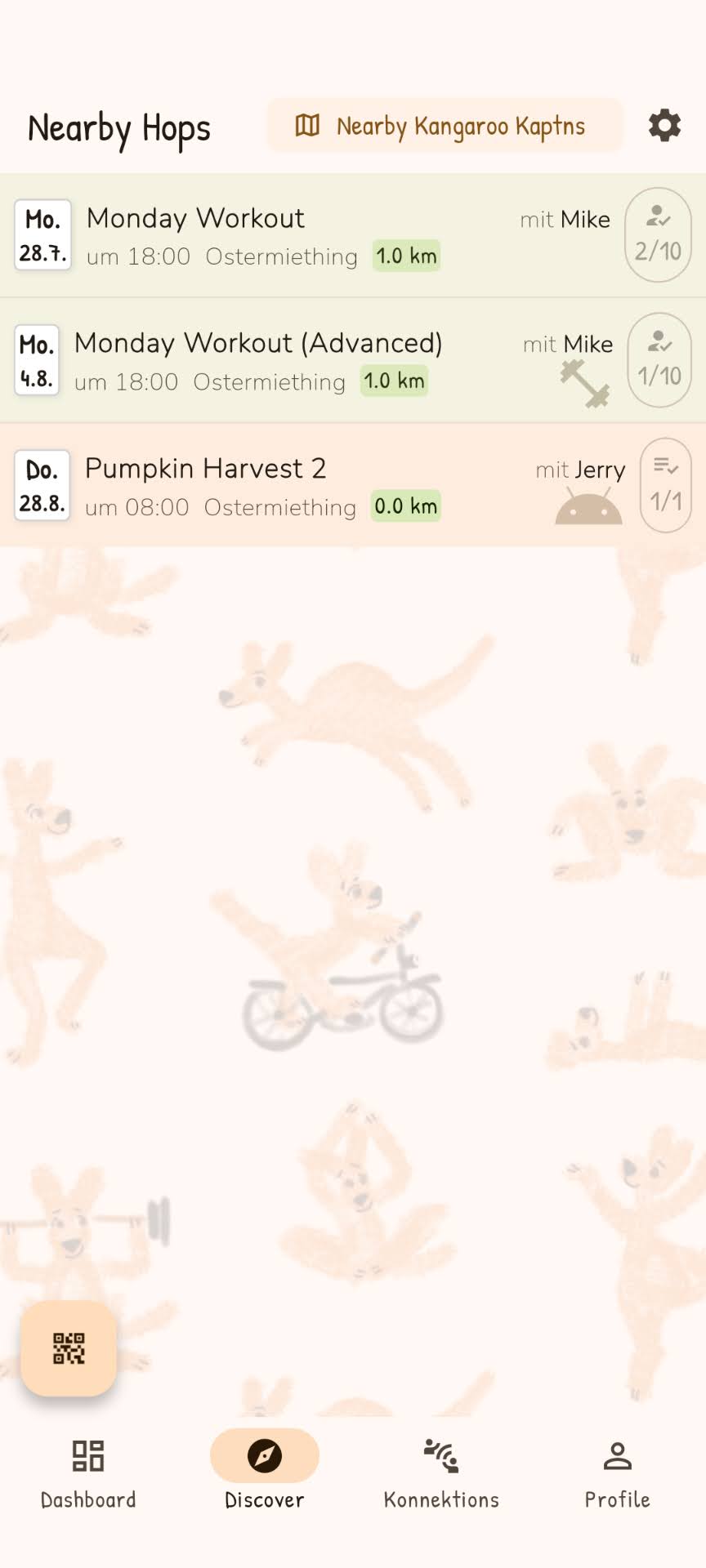
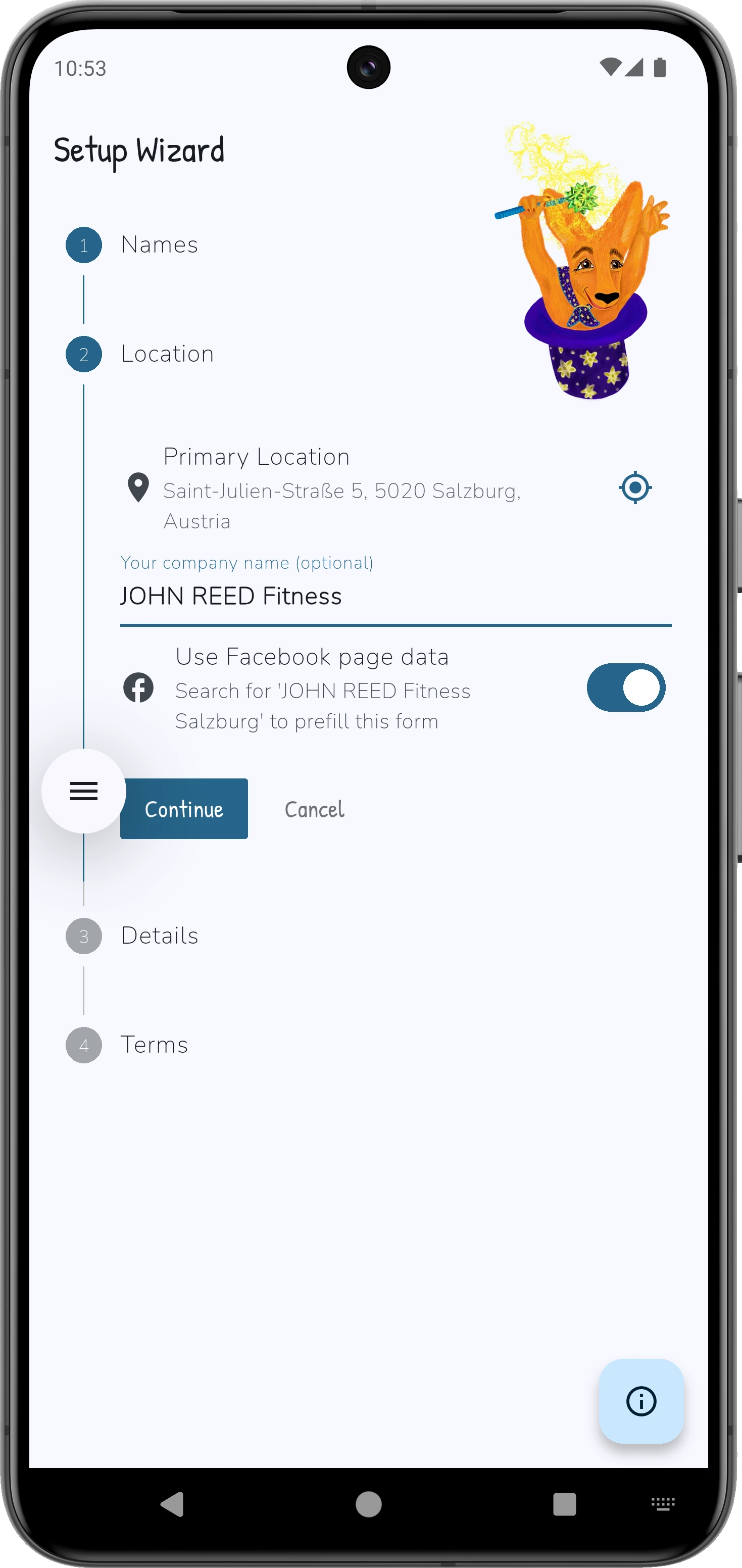
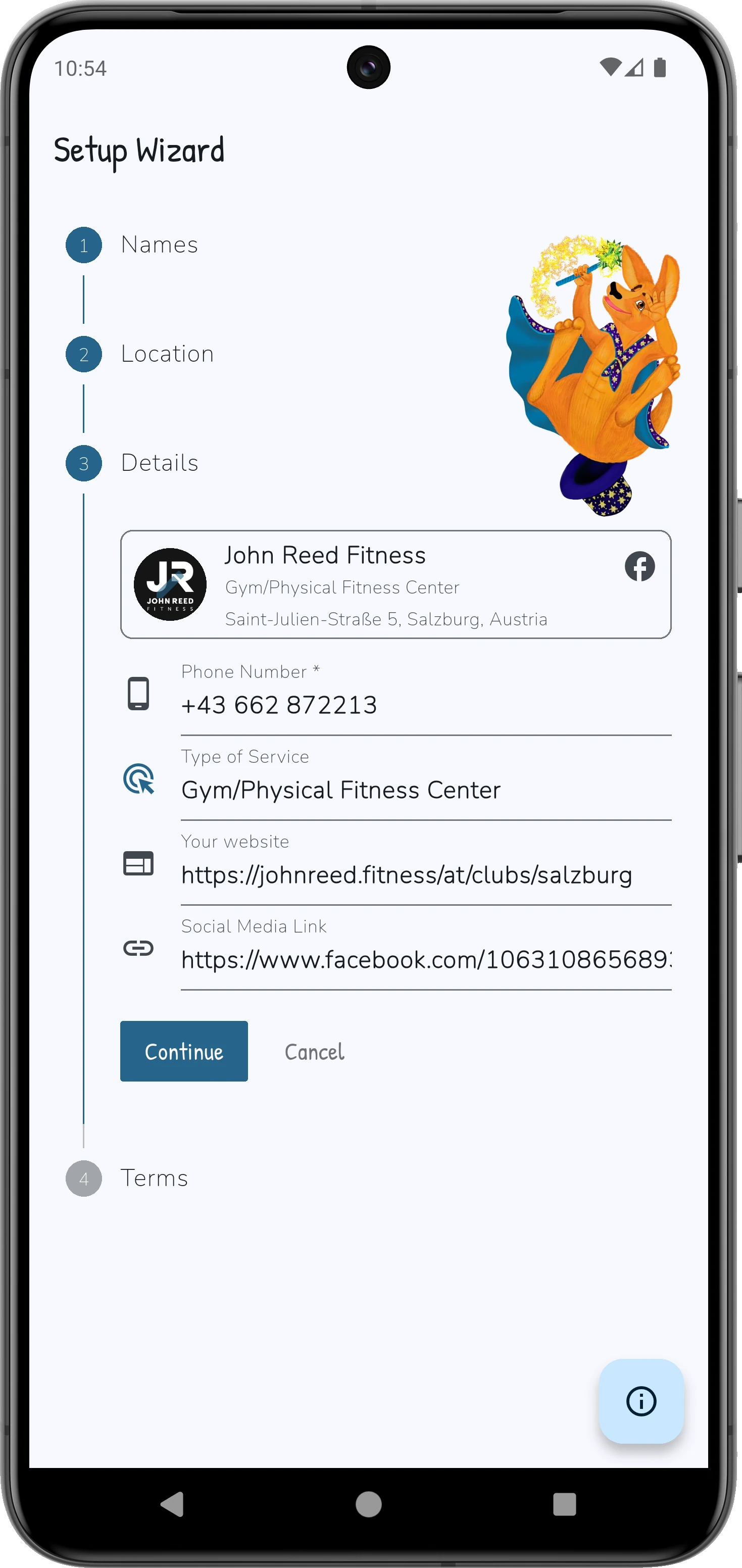
Get a clear picture of how Karl Konnekt simplifies your workflow:
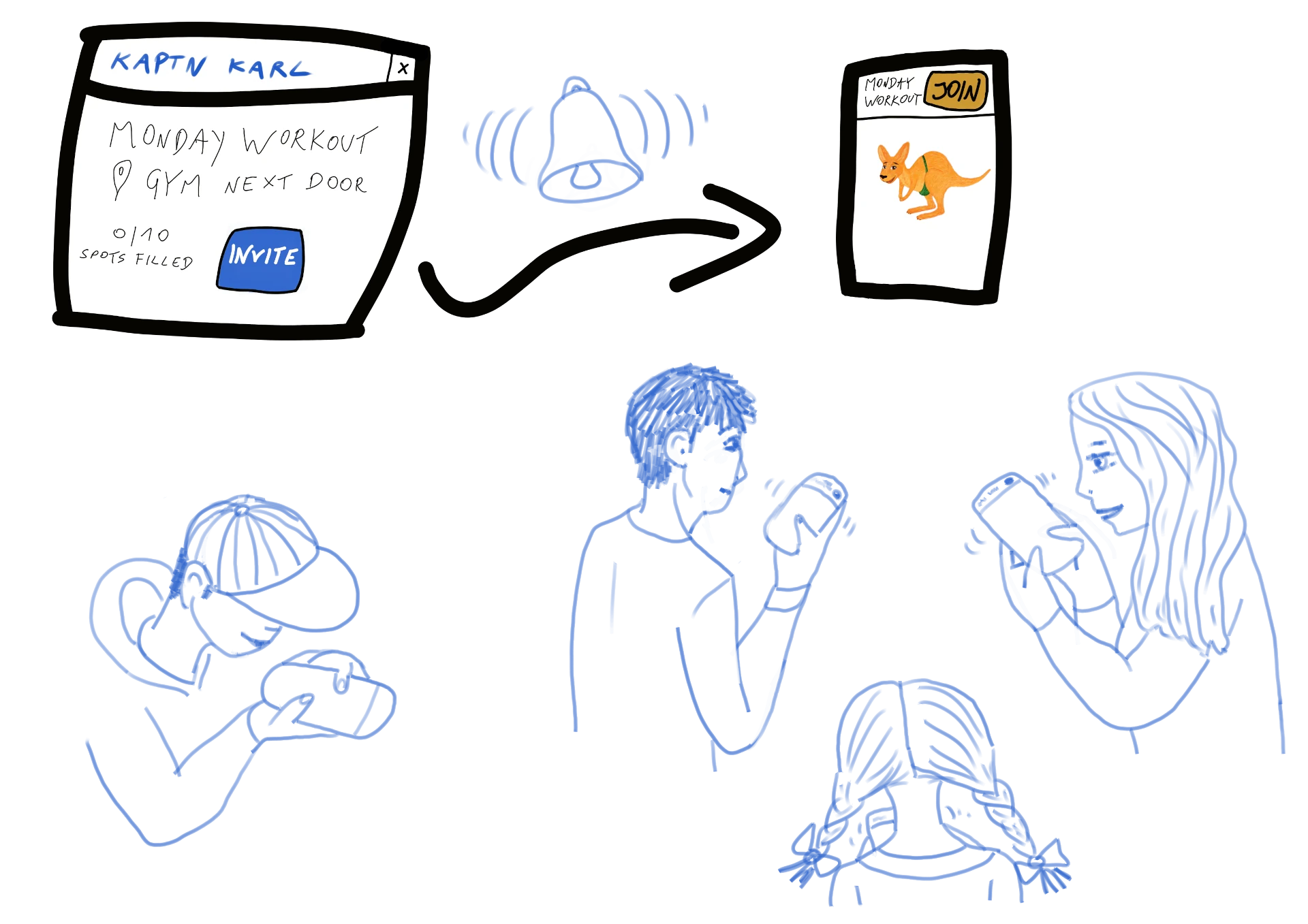
Each step of the process is designed to reduce manual effort, save time, and create a delightful experience for both you and your clients.
If you run group sessions—classes, events, bootcamps, workshops, or recurring meetups—Karl is built for you, including:
Fitness Trainers
Yoga Instructors
Dance & Music Teachers
Pilates Instructors
Bootcamp & HIIT Coaches
Art & Craft Teachers
Dungeon Masters, Board Game Organizers
Event Planners
Cycling / Spin Instructors
Tutors
Sports Coaches
Language Instructors
Tour Guides
Martial Arts Coaches
If your business depends on managing schedules and client relationships, Karl Konnekt is for you.
P.S. Kaptn Karl shines brightest for group classes—recurring sessions, rosters, waitlists, and last-minute changes.

Well, first off, to point at the elephant in the room that is actually a marsupial: We've got Karl the Kangaroo. That should be enough in and of itself. But if you need more: We get it — running a biz can feel like playing Tetris on hard mode. And we too hate doing repetitive tasks over and over again. Better tell a machine to do them for you (or a Kangaroo, in this case).
We built Karl Konnekt to save you time, crush stress, and boost your revenue — all while keeping the ride fun. Focus on what matters most — your clients, your family, yourself — and let Karl handle the rest.
Karl Konnekt vs. The Others: Who Hops Supreme?
Here's how Karl Konnekt stacks up against the big players in the booking biz. Spoiler: Only one of them comes with a Kangaroo. 🦘
| Feature / Platform | Karl Konnekt | Mindbody | MySports | Fitogram | Calendly |
|---|---|---|---|---|---|
| Online Booking | check_circle Easy-peasy "Hop on" button | check_circle | check_circle | check_circle | check_circle |
| Automated Invitations | check_circle Invitations via SkippySignals | check_circle | check_circle | check_circle | check_circle |
| Client Management | check_circle Tail Tags for personalized touch | check_circle | check_circle | check_circle | cancel Basic only |
| Payment Integration | check_circle Stripe, SEPA, vouchers, pay-on-site | check_circle | check_circle | check_circle | check_circle Limited |
| Group Event Support | check_circle Perfect for classes and get-togethers | check_circle | check_circle | check_circle | cancel |
| Calendar Sync | check_circle Get Hop event reminders in your Karlendar (on-device for Joeys, iCal/ICS for Kaptns) | check_circle Sync problems | cancel Manual only | check_circle FitogramPro only | check_circle |
| Cancellation Notifications | check_circle "We have a Skipper! Wanna hop in?" | cancel | cancel | cancel | cancel |
| Waitlist Management | check_circle Auto-promotes Joeys when a spot opens | cancel | cancel | cancel | cancel |
| Widget for Websites | check_circle Embed "Hop List", Badge, and more | check_circle | check_circle | check_circle | check_circle |
| Built-in Loyalty Perks | check_circle Early birds hop higher on search/maps | cancel | cancel | cancel | cancel |
| AI & Automation Tools | check_circle Coming soon: Karl with AI! | check_circle Enterprise | cancel | cancel | check_circle Limited |
| Cool Mascot? | 🦘 Karl the Kangaroo. Literally the GOAT. | cancel | cancel | cancel | cancel |
Final Verdict:
Karl Konnekt checks all the boring boxes… and then jumps over the rest with charm, personality, and a pouch full of features.
If you're choosing a platform to represent your biz, why not go with the one that brings good vibes and a kangaroo?
Let’s be real: Your clients deserve more than a grey interface and a spreadsheet. They deserve Karl.
No – it’s up to them. The Karl Konnekt client app (for “Joeys,” i.e. your students) is free on iOS & Android and offers the smoothest experience with instant notifications. However, your clients can also join a class via a web link (from an email/SMS invite) without installing anything. Either way, booking a class is very simple – essentially a tap or two – so even non-tech-savvy folks can hop in easily.
That’s up to you, but you won’t need it for scheduling anymore. Many instructors keep their old WhatsApp group for casual chat or one-way announcements, while Karl Konnekt handles all the booking-related tasks. Class invites and updates will run through Karl, so your group chat will likely go quiet on the scheduling front (which is a good thing!). You can always choose to retire the chat entirely once everyone’s onboard, or keep it just for social banter – Karl simply frees you from using WhatsApp to coordinate classes.
Karl has built-in payments and pass management to make your life easier. It uses Stripe for secure online payments, and you can enable options like drop-in fees, monthly/annual subscriptions, class packages/passes, trials, or even “pay on site” if you take cash. Clients will pay (or apply their pass) right when they book, and every transaction is logged with a receipt tied to the booking. No more chasing down who paid or tracking passes in a spreadsheet – Karl keeps it organized automatically.
Karl Konnekt has you covered with an automatic waitlist. If a student cancels, Karl instantly invites the next person in line so the spot can fill itself without your intervention. Even in a last-minute situation where you enforce a late cancel policy, you can approve the cancellation with one tap and Karl notifies the next client (and handles any refund if needed). The system also keeps an attendance log – you’ll have a record of who attended, who canceled late, or no-showed, which helps if you charge no-show fees or want to track client habits.
Not as push “reminders” from Karl itself. Karl sends invitations and notifications about changes (like schedule/location updates), but it doesn’t spam people with countdown reminders. Instead, clients can enable their own calendar sync and choose their preferred reminder style (e.g., 1 hour before, 1 day before, multiple reminders) using their phone’s calendar settings.
Karl notifies affected clients about changes so nobody misses an update hidden 83 messages up in a chat thread. Your Hop remains the single source of truth: update it once, and clients see the latest version. This dramatically cuts the classic “Wait… where is it again?” back-and-forth.
Yes. When a Hop hits capacity, clients can join a waitlist. If a spot opens up, Karl can notify the next person so the slot doesn’t sit empty while you’re busy teaching (or, you know, living life).
Karl Konnekt provides a guided process (and even a one-week migration checklist) to help you smoothly transition from WhatsApp or other group chats. The easiest method is to set up your upcoming classes (or “Hops,” as Karl calls them) in the Karl app and use the one-tap invite feature to notify everyone at once. Your students will each get a personal invite link or app notification, making it effortless for them to jump over to Karl. In practice, once you announce the switch and send Karl invites, you’ll see the group chat chaos fade – instructors report that their WhatsApp thread went from frantic messages to blissful quiet within days as bookings seamlessly moved into Karl.
You can use it on any device. Karl Konnekt is a web + mobile platform, meaning there’s a web dashboard you can access from your computer as well as mobile apps for your phone or tablet. You can manage your classes and bookings from a desktop/laptop when it’s convenient, and your clients can join via the mobile app or simply through a browser link. This flexibility lets everyone (you and your students) use whatever is most comfortable – no smartphone required for those who prefer a web browser.
Absolutely. Karl Konnekt was designed to be very user-friendly, even for folks who aren’t tech-savvy. If someone can handle a WhatsApp group chat, they can handle Karl – the interface is straightforward and intuitive (essentially just tapping a big “Hop On” button to join a class). And for any client who does hit a snag, you can always help them out or even add them to a class on your end via the instructor. After the first try, most people find it as easy as sending a text message.
Karl Konnekt is built for solo instructors, so it’s much simpler and more tailored to your needs than heavy studio software like Mindbody. Larger systems such as Mindbody tend to be complex (and expensive) because they’re designed for big gyms or studios – many one-person businesses find those overkill for their. Karl focuses on the essentials a solo instructor cares about: quick self-service booking for group classes, calendar sync reminders and waitlists, easy payment processing, and class-pass management – all in one lightweight app. In short, it does what you need (scheduling, payments, client comms) without the bloat, helping you avoid admin headaches and “too much tool” for a small operation.
If you’re a solo instructor or micro-studio and want a simpler way to schedule, manage attendance, and keep clients in the loop—yes. Karl is built to stay lightweight and get out of your way.
If you want your own direct client relationship and a clean booking flow (instead of relying on a marketplace), Karl is a great fit. You keep the structure and control of your schedule, policies, and client list.
You’ll use Kaptn Karl to create and manage your Hops (your group classes). Your clients use Karl Konnekt to find and book those Hops (“Hop on”). Two apps, two roles — like a good old-school walkie-talkie setup: one for broadcasting, one for tuning in.
Not right now. Kaptn Karl is built for group classes (limited spots, waitlists, changes, cancellations). If you’re a physiotherapist: think group rehab, back school, mobility groups, prenatal classes — not classic one-on-one treatment slots. For 1:1 sessions, you’d keep using your usual appointment setup.
Clients book via Karl Konnekt (mobile app) or via a web link you share. Either way, joining a Hop is designed to be quick and low-drama: see Hop → tap “Hop on” → done.
You’ve got a few easy options:
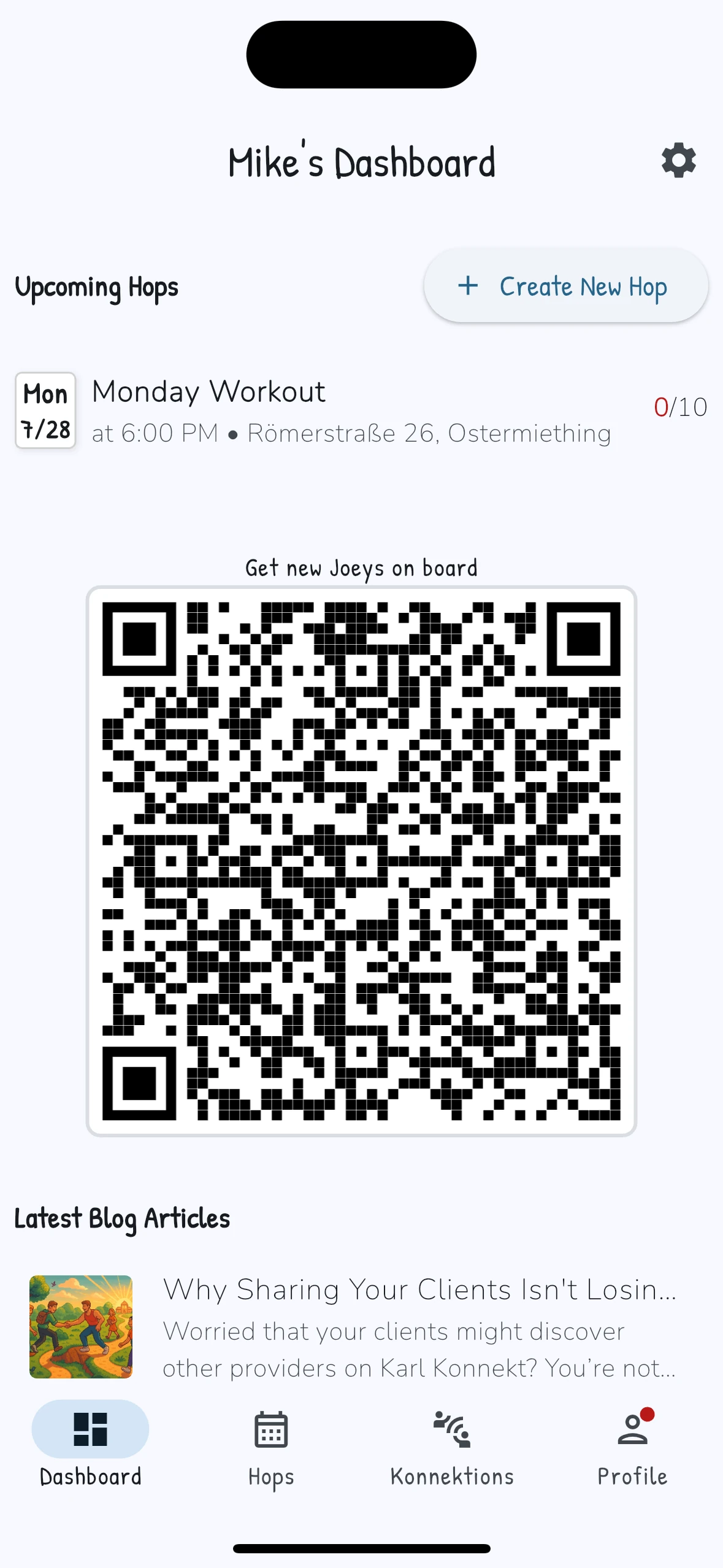
• Show your provider QR code (Kaptn Karl home screen)
• Share a direct Hop link
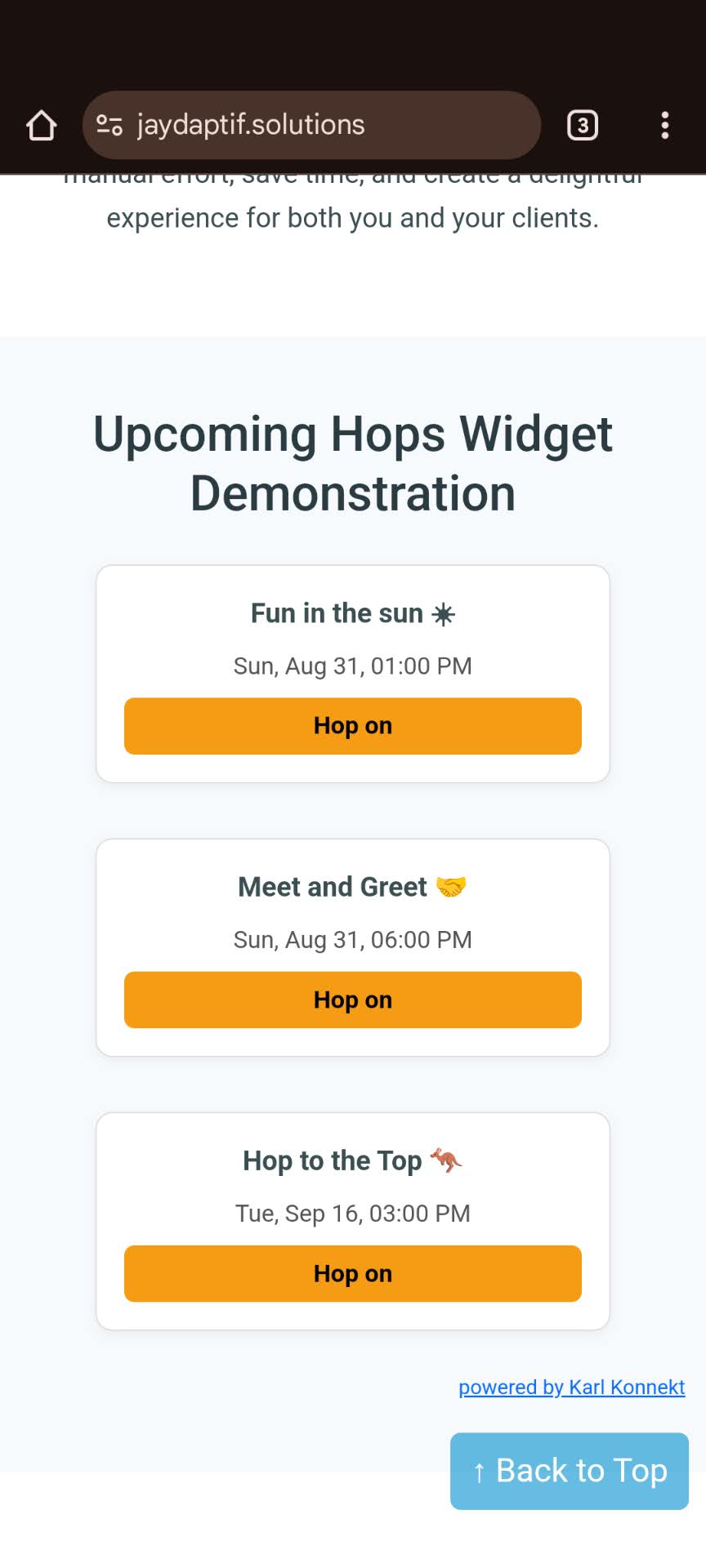
• Embed your website widget showing upcoming Hops (each Hop links to booking)
Once they’re connected, your clients can get invited automatically when you publish new Hops.
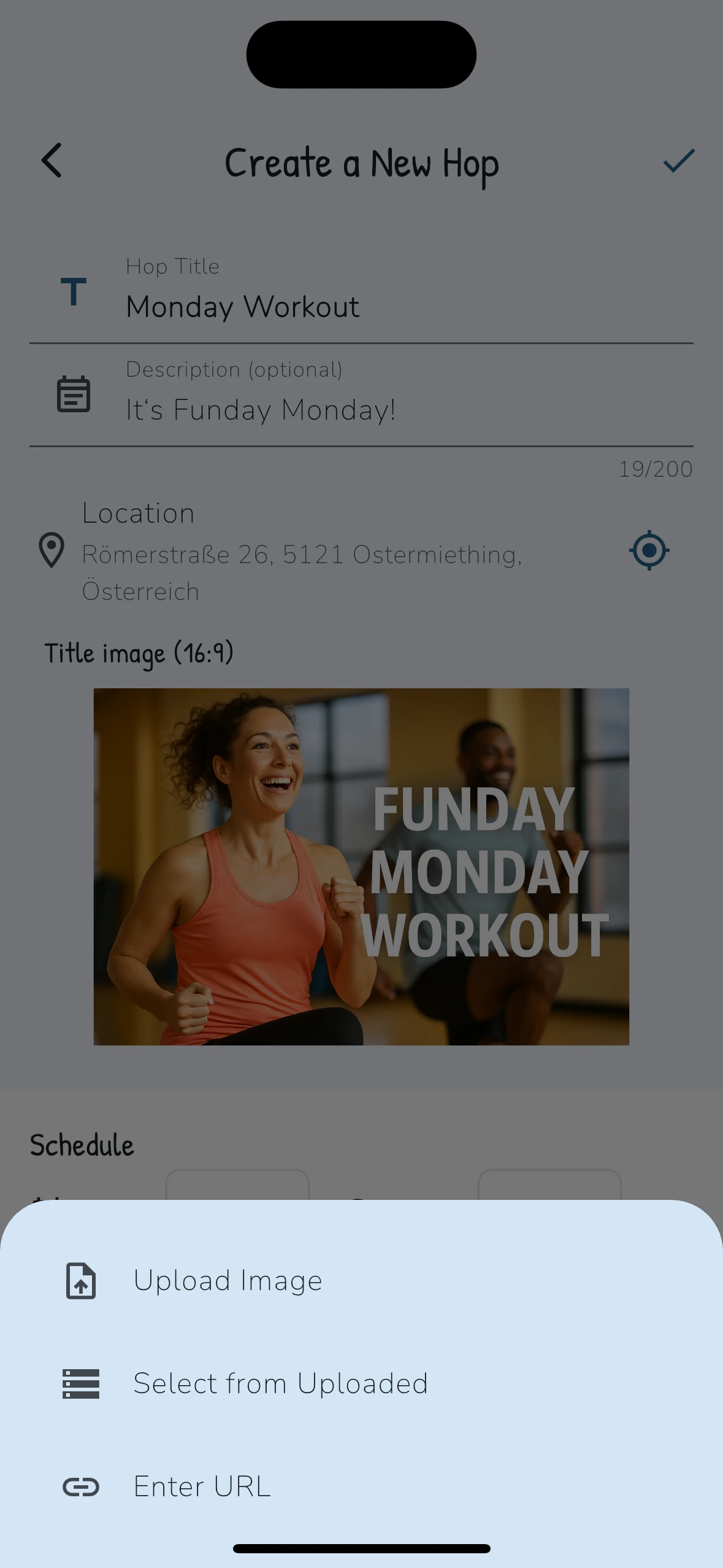
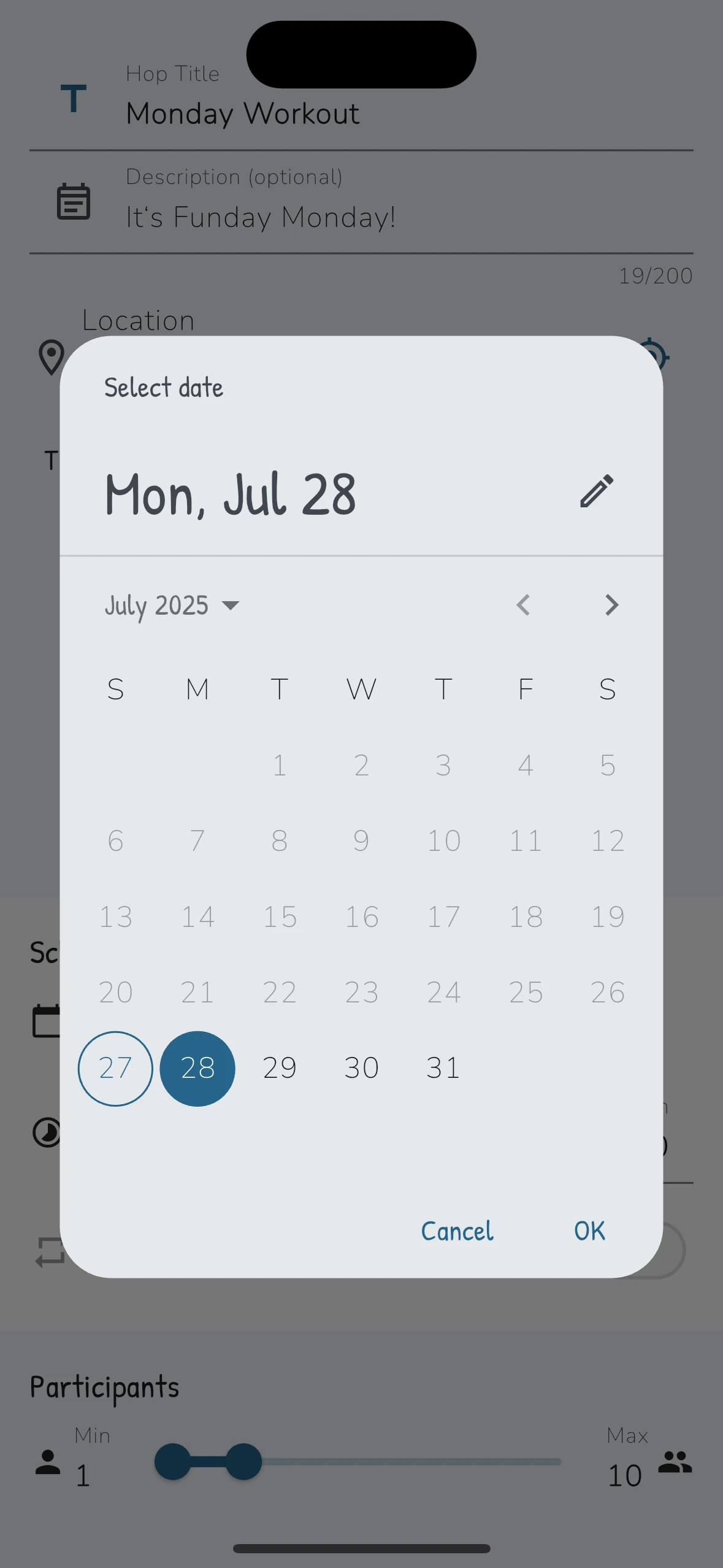
When you hit “+ Create New Hop”, your Hop becomes bookable in Karl Konnekt and (optionally) your already-konnekted clients get an invitation. Think: one tap on your side, instant “new class!” vibes on their side.
Absolutely. Share a Hop link anywhere — WhatsApp groups, Instagram bio, email newsletters, you name it. It’s basically “copy link → paste → boom: booking page.”
Yes. You can embed a simple widget that shows your upcoming Hops. Visitors click a Hop and land directly on the booking flow. Great for “set it and forget it” energy.
Totally normal early on. Even if local discovery is still quiet, you can run Karl Konnekt like your own “mini booking system” by inviting your existing clients via QR code or links. As more Kaptns join and marketing ramps up, discovery gets more lively.
Yes — Karl Konnekt is also where people can discover other Kaptns and their Hops (depending on what’s available in the area). Your clients can use it for your classes and explore other options.
Karl Konnekt (client app) is free for Joeys. Kaptn Karl is a paid tool for providers, with a one-month trial and then €27/month.
Nope. It’s built for group-based services in general — fitness classes, yoga, mobility, workshops, courses, clubs, and more. If you run group sessions with schedules and spots, Karl can help.
Install both apps and test from both perspectives:
• In Kaptn Karl, create a Hop
• In Karl Konnekt, find it and “Hop on”
It’s like checking your website on mobile after building it — you immediately see what your people will see.